










MacBook Air M1 to M5 Data Recovery
Apple silicon MacBook Air not turning on or damaged by liquid? We repair M1 to M5 logic boards to recover your data.



Apple silicon MacBook Air not turning on or damaged by liquid? We repair M1 to M5 logic boards to recover your data.
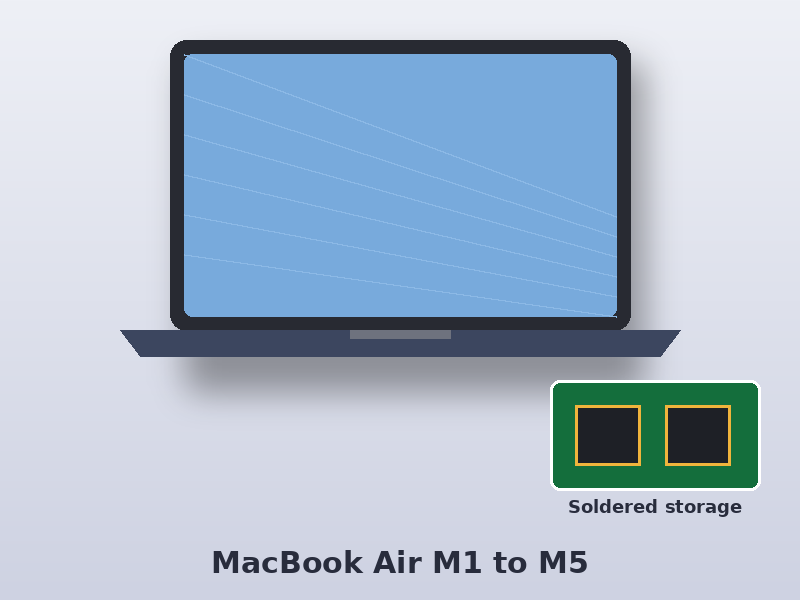
Every Apple silicon MacBook Air stores its data on memory chips soldered next to the M-series chip, encrypted by the Secure Enclave inside that chip. The data can’t be read anywhere else. When one of these Macs fails, we repair the logic board, start the Mac in macOS Recovery and use Share Disk mode to copy the data to our system with your password.
The M1 to M5 MacBook Air is fanless and very thin, so liquid damage and charging faults are the most common problems we see.
Find your Apple part number on the original box or receipt, or on your Apple ID account under Devices. In the part numbers below, xx is the country code – UK models end in B/A (for example MGN63B/A). The model number (A-number) is printed on the underside of the Mac.
| Model | Model number | Model identifier | Apple part numbers | Model page |
|---|---|---|---|---|
| MacBook Air (M1, 2020) | A2337 | MacBookAir10,1 | MGN63xx/A, MGN93xx/A, MGND3xx/A, MGN73xx/A, MGNA3xx/A, MGNE3xx/A | A2337 |
| MacBook Air 13-inch (M2, 2022) | A2681 | Mac14,2 | MLXW3xx/A, MLXX3xx/A, MLXY3xx/A, MLY03xx/A, MLY13xx/A, MLY23xx/A, MLY33xx/A, MLY43xx/A | A2681 |
| MacBook Air 15-inch (M2, 2023) | A2941 | Mac14,15 | MQKP3xx/A, MQKQ3xx/A, MQKR3xx/A, MQKT3xx/A, MQKU3xx/A, MQKV3xx/A, MQKW3xx/A, MQKX3xx/A | A2941 |
| MacBook Air 13-inch (M3, 2024) | A3113 | Mac15,12 | MRXN3xx/A, MRXQ3xx/A, MRXT3xx/A, MRXV3xx/A, MRXP3xx/A, MRXR3xx/A, MRXU3xx/A, MRXW3xx/A, MXCR3xx/A, MXCT3xx/A, MXCU3xx/A, MXCV3xx/A | A3113 |
| MacBook Air 15-inch (M3, 2024) | A3114 | Mac15,13 | MRYM3xx/A, MRYP3xx/A, MRYR3xx/A, MRYU3xx/A, MRYN3xx/A, MRYQ3xx/A, MRYT3xx/A, MRYV3xx/A, MXD13xx/A, MXD23xx/A, MXD33xx/A, MXD43xx/A | A3114 |
| MacBook Air 13-inch (M4, 2025) | A3240 | Mac16,12 | MC654xx/A, MC6A4xx/A, MC6C4xx/A, MC6T4xx/A, MC6U4xx/A, MC6V4xx/A, MDG24xx/A, MDG54xx/A, MDG64xx/A, MW0W3xx/A, MW0X3xx/A, MW0Y3xx/A, MW103xx/A, MW123xx/A, MW133xx/A | A3240 |
| MacBook Air 15-inch (M4, 2025) | A3241 | Mac16,13 | MC6J4xx/A, MC6K4xx/A, MC6L4xx/A, MC7A4xx/A, MC7C4xx/A, MC7D4xx/A, MDG34xx/A, MDG84xx/A, MDG94xx/A, MW1G3xx/A, MW1H3xx/A, MW1J3xx/A, MW1K3xx/A, MW1L3xx/A, MW1M3xx/A | A3241 |
| MacBook Air 13-inch (M5, 2026) | A3449 | Mac17,3 | MDH74xx/A, MDH84xx/A, MDHA4xx/A, MDHC4xx/A, MDHD4xx/A, MDHE4xx/A, MDHF4xx/A, MDHG4xx/A, MDHH4xx/A, MDHJ4xx/A, MDHK4xx/A | A3449 |
| MacBook Air 15-inch (M5, 2026) | A3448 | Mac17,4 | MDV94xx/A, MDVA4xx/A, MDVC4xx/A, MDVD4xx/A, MDVE4xx/A, MDVF4xx/A, MDVH4xx/A, MDVK4xx/A, MDVN4xx/A, MDVQ4xx/A, MDVT4xx/A, MDVU4xx/A | A3448 |
Source: Apple Support model identification pages.
Select your Mac to see models, part numbers, common faults and how we recover it.
A ‘restore’ erases everything; a ‘revive’ should not. If there’s any doubt, don’t do either – contact us first.
Yes. Apple silicon Macs always encrypt the internal SSD. Your login password is needed to access the data.