







call us: 020 7394 2529
fast, secure and confidential
data recovery services
in london
  • All Makes / Models of hard drives
  • All Operating Systems / File Systems
  • Photos / Music / Video Recovery
Free initial consultation

Clicking Hard Drive & Head Replacement

A clicking, knocking or beeping hard drive usually has failed read/write heads. We replace them in our clean room to recover your data.


Why hard drives click

A hard drive reads data with tiny magnetic heads on the end of an arm. When a head fails, the drive can’t read the information it needs to start up, so the arm swings back and forth trying again – that’s the repeated click or knock you hear. Some laptop drives beep instead, because their heads are stuck and the motor can’t turn.

Head failure is the most common physical fault we see. It can be caused by wear, a knock or drop, a manufacturing weakness or a power problem.
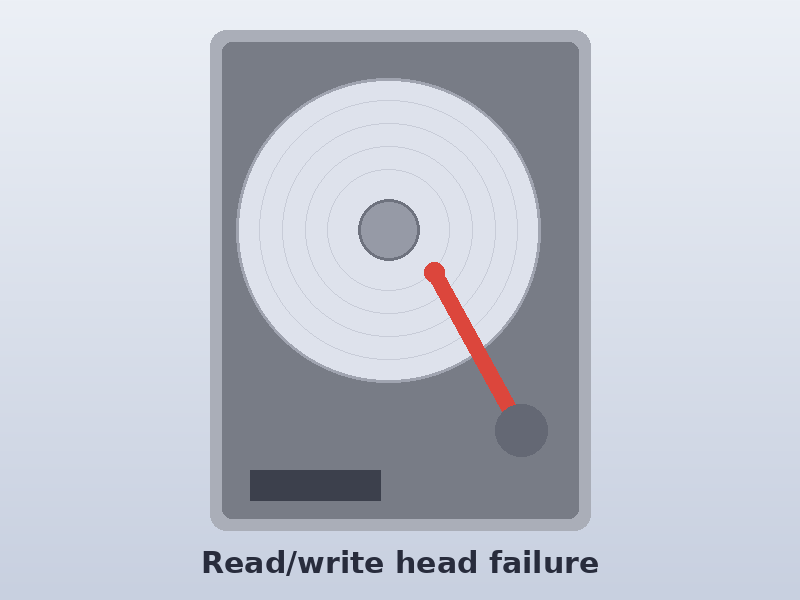
Illustration of a hard drive with a failed read/write head for head replacement data recovery

How heads are replaced

The damaged head stack is removed in our clean room and replaced with the head stack from an identical donor drive. The donor has to match closely – usually the same model, firmware family, head map and manufacturing site – because heads are calibrated to each drive. Our donor match guide explains this in detail.

Once the new heads are fitted, the drive is imaged carefully. Replacement heads are not a permanent repair, so we read the data once and copy it to a healthy disk.


Highest success rates in hard drive data recovery


Signs your heads have failed

  • Regular clicking, ticking or knocking after the drive spins up.
  • The drive spins up, clicks, then spins down.
  • Beeping or buzzing from a laptop or portable drive.
  • The drive is detected but reads extremely slowly with many errors.

See real examples: Toshiba head replacement and Western Digital clean-room recovery.

How it works

  1. Free initial consultation – we confirm whether the fault is physical or logical.
  2. Clean room diagnostic (£79 + VAT) – the drive is opened in our ISO 5 clean room and the damaged parts identified, normally within about 24 hours.
  3. Donor parts – if parts are needed, we send you a link to buy a matching donor drive, or buy it for you.
  4. Repair and imaging – the drive is repaired just enough to be read, then cloned sector by sector with professional PC-3000 equipment.
  5. Recovery and return – we rebuild the file system, check your files and copy them to an external drive.

Prices

  • Initial consultation: Free – tells you whether the fault is physical or logical and the best recovery method. Doesn’t include opening the drive in a clean room or any recovery attempt.
  • Clean room diagnostic: £79 + VAT – the drive is opened in our clean room to identify the damaged parts.
  • Physical data recovery on a single drive: £450 + VAT – labour, plus the cost of a donor drive if required.
  • SSD firmware or board repair: £450 + VAT to £650 + VAT – depending on the complexity of the recovery.

All prices exclude VAT. See our full data recovery price list.


Frequently asked questions

Can I fix a clicking hard drive myself?

No. Head replacement needs a clean room, specialist tools and a matched donor. DIY attempts almost always scratch the platters.

How much does a head replacement cost?

Physical recovery of a single drive is £450 + VAT plus the donor drive, after a £79 + VAT clean room diagnostic.


Related services

Book your free consultation

Call 020 7394 2529, email [email protected] or visit our lab at Unit 1, The Willows, 80 Willow Walk, London SE1 5SY (Monday–Saturday, 9am–6pm, free customer parking). You can also book a pickup or request a quote online.